Where to List Events: Best Free and Local Channels
Where to List Events: Best Free and Local Channels

The highest-impact places to list your event right now are local city and tourism calendars, Google Business Profile event posts, neighborhood platforms like Nextdoor, and a discovery marketplace like Eventhound. Those four channel types cover the ground that actually moves attendance: local search intent, map visibility, community trust, and AI-driven discovery.
Here’s why each category earns its spot:
- Local city, tourism, and chamber calendars carry high domain authority and generate genuine local backlinks, often outranking third-party platforms in neighborhood searches.
- Google Business Profile and Google Maps put your event directly in the Map Pack, with action buttons for directions and tickets, making them the fastest path to local search visibility.
- Neighborhood groups and Nextdoor reach residents who are actively looking for things to do nearby, not just scrolling past a national feed.
- Discovery marketplaces like Eventhound let you publish once and reach people searching by location, category, and date, with AI-driven recommendations surfacing your event to the right audience automatically.
Three things to do right now:
- Create a stable event landing page (not a social post) with your full event details.
- Submit to at least three local calendars: your city’s official calendar, your tourism board, and a community paper.
- Confirm your event name, address, date, and ticket URL match exactly across every listing.
Table of Contents
- What every event listing must include before you submit
- Where to post events: a channel-by-channel breakdown
- How to submit to local calendars and tourism boards
- How to decide where to list first when time or budget is tight
- How to make your listing show up in search and AI results
- Key takeaways
- Why the “list everywhere” advice misses the point
- Eventhound gets your event in front of local audiences faster
- Useful sources and further reading
What every event listing must include before you submit
Getting rejected or delayed by a calendar moderator is almost always avoidable. Moderators reject listings for a short list of predictable reasons: vague descriptions, missing venue addresses, and low-resolution images. Submit complete, and you usually get published on the first try.
Required fields for every listing:
- Exact event name (match it identically across all platforms)
- Date, start time, and end time (include time zone)
- Full venue address (street, city, state, ZIP)
- Ticket or registration URL (a stable landing page, not a Facebook event)
- Price (free, suggested donation, or exact ticket cost)
- Organizer contact (email or phone for moderator follow-up)
- Event description covering the Five Ws: who is hosting, what attendees will experience, where it takes place, when it starts and ends, and why someone should come
- High-resolution image (most calendars require at least 1200×628 pixels, 16:9 aspect ratio, with descriptive alt text)
- Category or event type tag (music, family, food, business, etc.)
A tight Five-Ws sentence looks like this: “The Downtown Arts Council hosts its annual Jazz on the Square festival at Riverside Plaza on Saturday, July 19, from 4–10 PM, featuring 12 local bands and free admission for all ages.” One sentence, every detail a moderator needs.
Submission hygiene matters. Your event name, address, and ticket link must be identical across every platform you submit to. Inconsistent NAP (name, address, phone) details confuse both search engines and calendar editors. Broken ticket links are a fast track to rejection.
Pro Tip: Prepare a “submission kit” before you start: a 200-word description, a 50-word short version, your high-res image, and your organizer verification details (website URL, tax ID for nonprofits, or social media handle). Drop these into each form without retyping, and most submissions take under five minutes.
Where to post events: a channel-by-channel breakdown
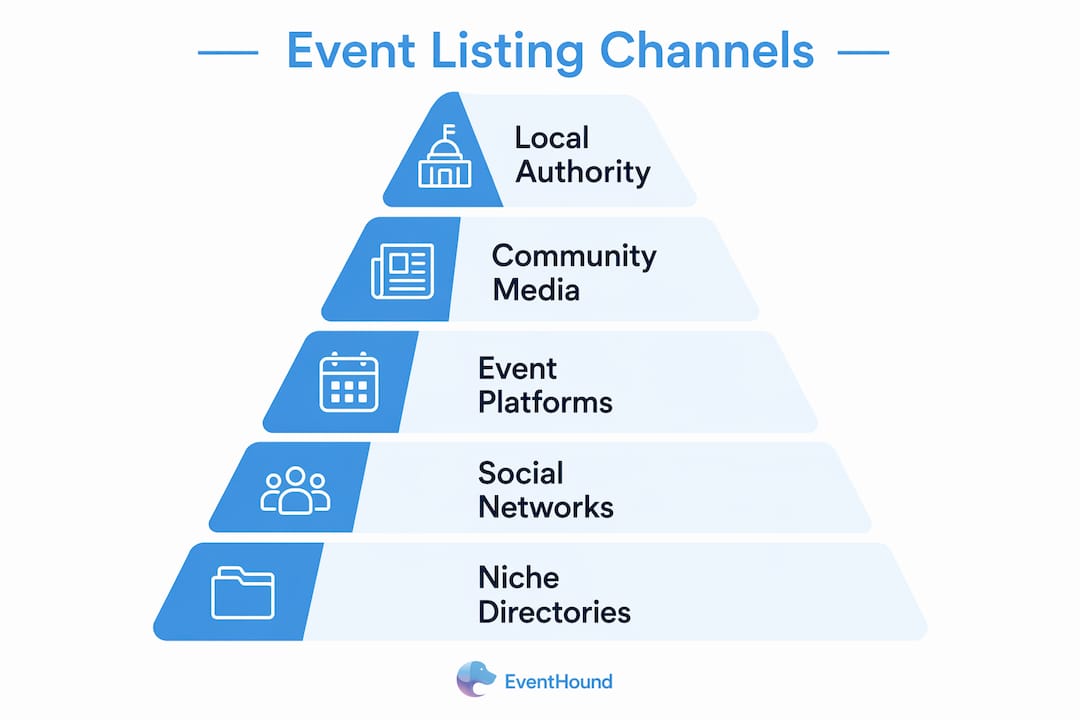
Not every channel works for every event. Here’s how the main categories stack up, with practical notes on audience, cost, and timing.
Official local calendars (city, tourism, chamber)
Your city’s official calendar, your state tourism board (like Visit Indiana), and your local chamber of commerce are the highest-authority free listings available. They rank well in local search, generate backlinks, and signal legitimacy to other editors. Lead time: submit 3–4 weeks out for new accounts (onboarding can take 2–6 weeks); returning submitters typically see 24–48-hour approval.
Local media and community calendars
Local newspapers, alt-weeklies, and community magazines like Creative Loafing in Tampa remain common discovery paths for area residents who trust their local paper over a national app. Many offer free calendar submissions alongside paid display ads. Community sites like The Local Post accept free event submissions and review them before publishing to keep listings relevant. Submit 2–3 weeks out.

Discovery marketplaces and event platforms
Platforms built specifically for event discovery reach people who are actively searching for things to do, not just scrolling a social feed. Eventhound’s AI matches your listing to users by location, category, and preference, so a jazz festival in Baltimore surfaces to the right people without you managing targeting manually. These platforms also handle schema markup and mobile-optimized display, which matters for search visibility.
Social platforms and groups
Facebook Events, Instagram, and Nextdoor each serve a different function. Facebook Events work well for community events and recurring meetups because attendees can RSVP and share. Instagram is better for visual promotion than discovery. Nextdoor reaches hyper-local audiences, especially for neighborhood events, farmers markets, and family activities. Paid social ads on Facebook and Instagram are worth the spend for ticketed events with a short lead time or a niche audience that’s hard to reach organically.

Venue and partner pages
Ask your venue to list the event on their website calendar and social channels. A venue with 10,000 Instagram followers is free distribution you’d otherwise pay for. The same logic applies to sponsors, co-presenters, and local businesses involved in the event.
Niche and industry directories
A tech meetup belongs on Meetup.com. A craft fair belongs on local maker directories. A charity 5K belongs on running community boards. Niche directories reach pre-qualified audiences who are already interested in your event type, which usually means better conversion than a general listing.
Email newsletters and list swaps
Local newsletters, neighborhood blogs, and community organizations often accept event announcements in exchange for a mention in yours. A single placement in a well-read local newsletter can outperform a week of social posts.
Paid promotion
Promoted listings and paid social ads make sense when: you’re selling tickets, your organic reach is limited, or your event is less than three weeks away. Budget even $20–50 on a targeted Facebook ad to a local zip code and you’ll typically reach more relevant people than organic posting alone.
Channel comparison at a glance:
| Channel type | Audience reach | Typical cost | Lead time | SEO value |
|---|---|---|---|---|
| Municipal calendar | Local residents | Free | 2–4 weeks | High |
| Local news calendar | Local readers | Free / low | 1–2 weeks | High |
| Discovery marketplace | Active event-seekers | Free / paid tiers | 1–3 days | Medium–high |
| Social group / Nextdoor | Neighborhood residents | Free | 1–7 days | Low |
| Venue / partner page | Existing venue audience | Free | 1–2 weeks | Medium |
| Niche directory | Interest-specific audience | Free / paid | 1–2 weeks | Medium |
| Paid social ad | Targeted local audience | Paid | 1–3 days | None |
Audience-type quick notes: Family events do best on city calendars, Nextdoor, and school newsletters. Music and nightlife events belong on local alt-weeklies, discovery marketplaces, and Instagram. Business and professional meetups belong on LinkedIn, Meetup.com, and chamber calendars. Nonprofits should prioritize city calendars, community papers, and partner organization pages.
How to submit to local calendars and tourism boards
Getting listed on official calendars takes a little more effort than clicking “post,” but the payoff in local search authority is worth it.
-
Find the right submission page. Search “[your city] events calendar submit” or “[your city] tourism board event submission.” Most city sites have a dedicated form under their Parks & Recreation or Visitor Services section. State tourism boards like Visit Indiana publish direct submission links. For community papers, look for a “Submit an Event” or “Community Calendar” link in the site footer.
-
Create your account early. New organization onboarding on community calendars often takes 2–6 weeks. Don’t wait until the week before your event. Register your organization as soon as you know you’ll be submitting regularly.
-
Fill out every field. Use your submission kit (see the checklist section above). Select the correct event category and add relevant tags. Upload your high-res image. Paste your stable landing page URL, not a social media link.
-
Verify your organizer credentials. Local media and government calendars check legitimacy before publishing. Have your organization’s website URL, a contact email on a matching domain, and, for nonprofits, your EIN ready. This step alone eliminates most delays.
-
Follow up if you don’t hear back. If your event hasn’t been published within the stated window, send a brief, polite follow-up email: “Hi [Name], I submitted [Event Name] on [Date] and wanted to confirm it was received. Happy to provide any additional details.” Keep it short. Calendar editors are busy.
-
Track your submissions. Keep a simple spreadsheet: calendar name, submission date, approval status, and event URL once live. This prevents duplicate submissions and helps you build a reliable outreach list for future events.
Timeline rule of thumb: Submit to city and tourism calendars 4–6 weeks out. Submit to local media 2–3 weeks out. Submit to discovery marketplaces and social platforms 1–2 weeks out, with a reminder post the day before.
Pro Tip: Build a relationship with your local calendar editors by supplying ready-to-publish copy. Send a short email with your event details pre-formatted, your image attached, and a note that they’re welcome to use the copy as-is. Editors who are pressed for time will remember you for making their job easier, and your events will get published faster.
How to decide where to list first when time or budget is tight
You can’t be everywhere at once. When you have limited time, use this simple framework: prioritize channels by audience relevance (does this platform reach people who’d actually attend?) and speed to publish (how fast will you be live?).
Quick decision rules:
- Driving ticket sales fast? Start with paid social ads and discovery marketplaces. Both go live within hours.
- Building local awareness for a free community event? City calendar, Nextdoor, and local press are your first three moves.
- Growing a professional or interest-based community? Meetup.com, LinkedIn Events, and niche directories before anything else.
Prioritization matrix:
| Goal | First channel | Second channel | Third channel | Fourth channel | Fifth channel |
|---|---|---|---|---|---|
| Free community event | City calendar | Nextdoor | Local paper | Partner pages | Eventhound |
| Paid ticketed festival | Discovery marketplace | Paid social | City calendar | Local press | Venue page |
| Professional meetup | Meetup.com / LinkedIn | Chamber calendar | Niche directory | Email newsletter | Eventhound |
8-week promotion timeline:
- 8 weeks out: Create your event landing page with full details and schema markup. Register on city and tourism calendar platforms.
- 6 weeks out: Submit to city, tourism, and chamber calendars. Reach out to venue and partner pages.
- 4 weeks out: Submit to local media calendars and community papers. Post on Eventhound and other discovery marketplaces.
- 3 weeks out: Post on social platforms. Launch email newsletter announcement.
- 2 weeks out: Activate paid social ads if selling tickets. Pitch local journalists with a story angle.
- 1 week out: Post reminder on Nextdoor and neighborhood groups. Send a second email to your list.
- Day before: Post on all social channels. Confirm all listing links are live and working.
- Day of: Share a “today only” post on social. Update your GBP event post if applicable.
How to make your listing show up in search and AI results
Getting listed is step one. Getting found requires a few technical and editorial habits that most organizers skip.
The core formula: consistent details across platforms + event schema markup + conversational local copy = better visibility in both Google and AI-powered search.
NAP consistency and cross-platform matching
Your event name, date, time, address, and ticket URL must be identical across every platform. Even small variations (“St.” vs. “Street,” “7pm” vs. “7:00 PM”) can fragment your search authority. Pick a canonical version of every detail before you start submitting and copy-paste it everywhere.
Event schema (JSON-LD)
Adding event schema to your landing page tells search engines exactly what your page is about and can unlock rich results in Google Search. Pages with event schema often see higher click-through rates because their listings show the date, location, and ticket price directly in the search results. At minimum, include these fields in your JSON-LD:
name(exact event name)startDateandendDate(ISO 8601 format)location.nameandlocation.addressorganizer(name and URL)url(your stable landing page)offers(ticket price and availability)
Validate your markup with Google’s Rich Results Test before publishing.
Writing descriptions that AI search can use
AI search queries are getting longer and more conversational. Someone asking an AI assistant “what’s happening near the Inner Harbor this Saturday for families” will get results that match those exact words, not just “Baltimore family events.” Write your descriptions the way people actually talk.
Instead of: “Annual music festival. July 19. Downtown.”
Write: “Join us at Riverside Plaza, two blocks from City Hall, for a free all-ages jazz festival on Saturday, July 19, from 4 to 10 PM, featuring 12 local bands and food vendors from around the neighborhood.”
The second version matches conversational queries, includes a local landmark, and answers every question a potential attendee might ask an AI assistant.
Technical checklist:
- Event schema validated with Google’s Rich Results Test
- GBP event post created and linked to your landing page
- Google Maps embed on your landing page
- Page loads in under 3 seconds on mobile
- All listing links point to the same stable URL
Pro Tip: Use Eventhound’s AI to see how your event surfaces in location-based discovery. If your description uses generic language, it won’t match the conversational queries real users type. Rewrite until your event description reads like a natural answer to “what’s happening near me this weekend.”
Key takeaways
The most effective event promotion strategy combines free local calendar submissions, consistent NAP details, event schema markup, and a discovery marketplace listing to cover both search and community reach.
| Point | Details |
|---|---|
| Start with local authority sites | City, tourism, and chamber calendars carry high domain authority and generate local backlinks for free. |
| Submit complete listings first time | Include the Five Ws, a high-res image, and a stable landing page URL to avoid rejection delays. |
| Register new accounts early | New organization onboarding on community calendars can take 2–6 weeks; don’t wait until the week before. |
| Use schema and consistent NAP | Matching details across platforms plus JSON-LD event schema improves search visibility and rich results. |
| Eventhound for broader discovery | Listing on Eventhound reaches active local event-seekers via AI-driven recommendations without extra submissions. |
Why the “list everywhere” advice misses the point
Most guides tell you to post your event on every platform you can find. That’s the wrong frame. The real question isn’t how many places you list, but whether the right people can find you on the platforms they actually use.
A community block party listed on a national ticketing platform with no local SEO presence will underperform compared to the same event posted on the city calendar, Nextdoor, and a local discovery tool. The channel has to match the audience’s discovery behavior, not just your comfort with the platform.
The other thing most guides underweight: the submission quality gap. Two organizers can submit to the same calendar on the same day. One gets published in 24 hours. The other waits two weeks and eventually gets rejected. The difference is almost never the event itself. It’s whether the submission was complete, correctly categorized, and came from a verified organizer account. That’s a process problem, not a promotion problem, and it’s entirely fixable before you ever hit “submit.”
The channels in this guide aren’t ranked by size or name recognition. They’re ranked by how well they match local search behavior, how much authority they carry in neighborhood-level results, and how quickly a well-prepared organizer can get live. Start there, and the rest of your promotion strategy gets easier.
Eventhound gets your event in front of local audiences faster
Posting your event to a dozen calendars manually takes hours. Eventhound gives organizers a single place to publish a listing that’s immediately visible to local audiences actively searching for things to do nearby, with AI-driven recommendations that match your event to users by location, category, and real-time availability.
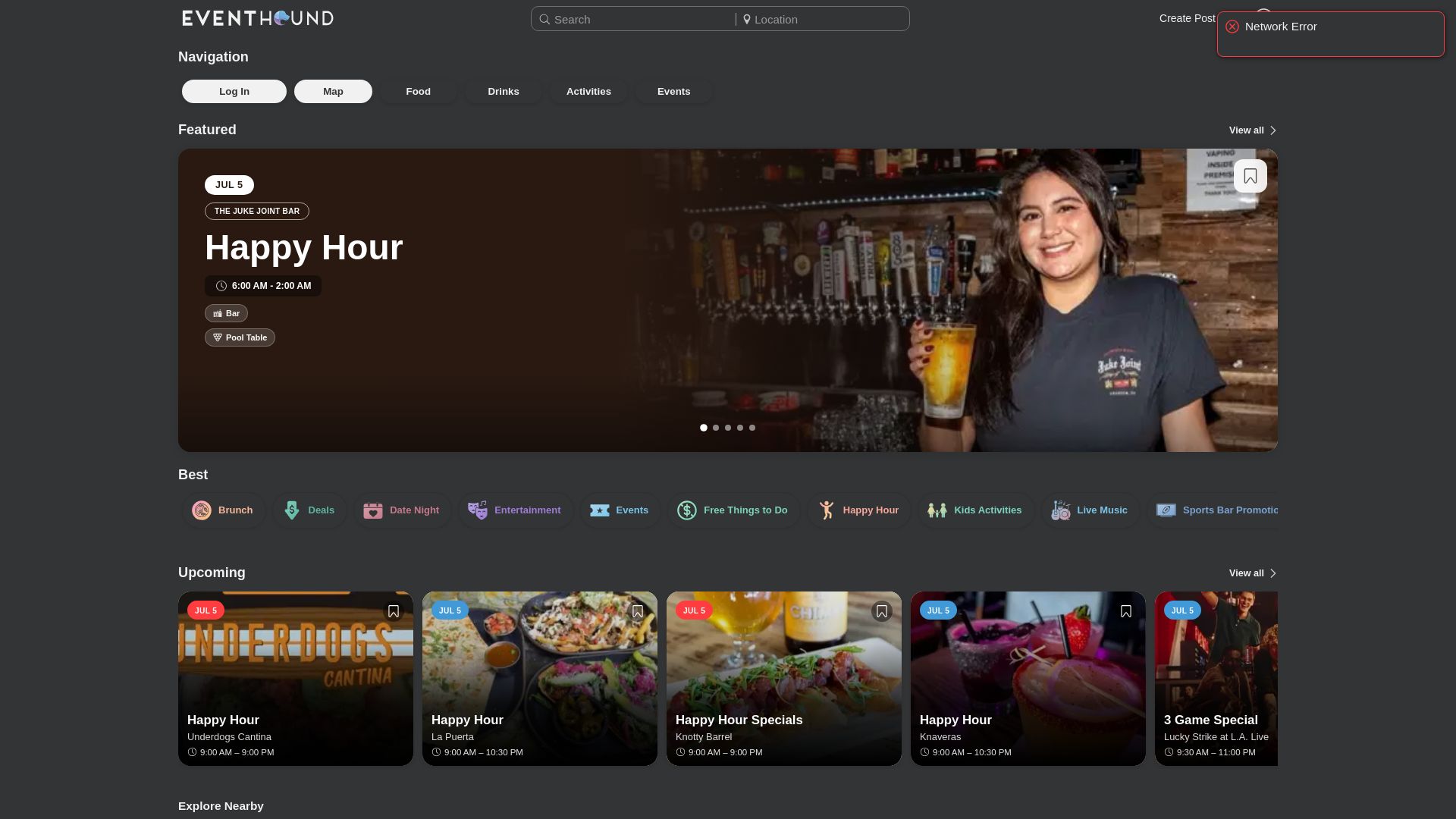
Where most listing platforms require you to manage targeting yourself, Eventhound’s AI handles the matching automatically. Your jazz festival surfaces to music fans in your zip code. Your family festival reaches parents looking for weekend activities. You get consistent, schema-friendly listings without rebuilding your submission kit for every new platform.
Visit Eventhound’s how it works page to see how to publish your first listing and start reaching local audiences today.
Useful sources and further reading
- How to fill out and submit an event submission form (LegalClarity) — Covers what moderators require and common rejection reasons; useful before your first submission.
- Local SEO for Events: The Ultimate Guide (TicketLeap) — Detailed guide on GBP event posts, schema implementation, and NAP consistency for event pages.
- How to Submit Events to Local Calendars (City & Local) — Step-by-step walkthrough of the local calendar submission process, including onboarding timelines.
- Local Event Promotion SEO (KD Interactive) — Covers AI-friendly description writing and conversational search optimization for 2026.
- Submit and Advertise Events on the Lebanon Valley Calendar (Archynewsy) — Real-world example of local calendar submission requirements and categorization standards.
- Visit Indiana Event Submission (IN.gov) — State tourism board submission form; a model for what official tourism calendars require.
- The Local Post Event Submission — Free community calendar that reviews submissions before publishing; good example of a neighborhood-level listing platform.
- How to Promote an Event Successfully (ICC Belfast) — Practical breakdown of paid social and organic promotion tactics for events with short lead times.
- Eventhound Blog — Practical guides on event listing, local discovery, and promotion strategies for organizers.